GitHub Copilot in VS Code just got a more useful pair of eyes.
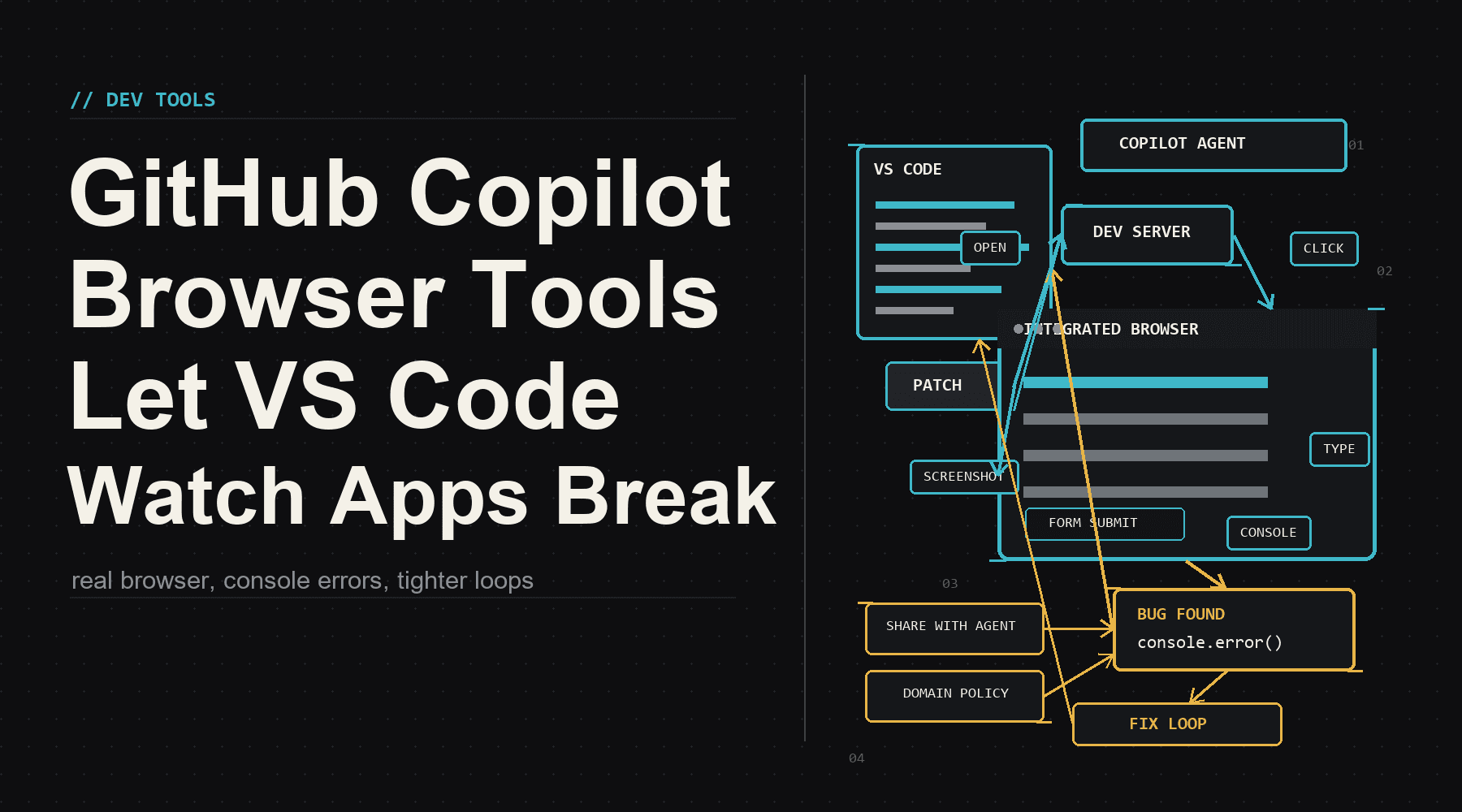
On July 1, GitHub made browser tools for Copilot in VS Code generally available. That means an agent in the editor can open a real browser, drive a web app, read page content, capture console errors, take screenshots, and bring the mess back into the chat instead of guessing from source files alone.
This sounds small until you have watched an AI assistant confidently ship a button that exists only in its imagination. Front-end work is full of little humiliations: the modal is behind the overlay, the route redirects forever, the form says success while the console is screaming, the responsive layout turns into a sandwich at 390 pixels wide. A model reading files can miss that. A model with a browser can at least watch the sandwich happen.
The Browser Becomes A Tool, Not A Destination
The interesting part is not that Copilot can click a button. Playwright, Selenium, Cypress, and every QA engineer with a stubborn streak have been doing that for years. The interesting part is placement. The browser is now part of the same agent loop that edits the code.
change code -> start app -> open browser -> click path -> read failure -> patch code -> repeatGitHub says agents get browser actions a developer would recognize: open pages, navigate, click, type, hover, drag, handle dialogs, read page content, collect console errors, take screenshots, and run scripted flows when a step-by-step tool call would be too clumsy. In the VS Code guide, the agent can build a small web app, open it in the integrated browser, test operations, find a bug, fix it, and validate the fix.
That is the move. The browser is no longer a thing the developer checks after the agent goes quiet. It is instrumentation inside the work loop.
The practical win is not magic autonomy. It is fewer fake-green moments where code compiles, tests are thin, and the UI is still obviously broken to anyone with eyes.
Why This Matters For Real Teams
Most teams do not have a testing shortage because nobody has heard of testing. They have a feedback shortage. The fastest path from a change to a useful signal is often a local browser with a running app and a specific task: log in, submit the form, resize the viewport, open the menu, check the error state, follow the redirect.
Copilot browser tools make that path easier to hand to an agent. That does not replace a serious test suite. It does make the agent less likely to treat HTML, CSS, and JavaScript as paperwork detached from behavior.
- For solo builders: the agent can sanity-check the boring click paths before you waste your attention on them.
- For product teams: browser feedback gives code review a better starting point than a diff plus vibes.
- For QA and test engineers: the agent can turn a reported bug into a reproducible browser path faster, then leave behind a scriptable trace.
- For design systems: visual and interaction regressions can be caught closer to the component edit, before they become someone else's Tuesday.
The Safety Details Are Not Decorative
Giving an agent browser access is useful because browsers are where the modern application lives. It is risky for the same reason.
GitHub's GA notes spend real space on control boundaries. Tabs you open yourself stay private unless you choose Share with Agent, and you can revoke that access. Tabs the agent opens run in isolated fresh sessions without access to the cookies and storage from your everyday browsing. Sensitive permissions such as camera, microphone, location, notifications, and clipboard reads are not granted automatically.
Enterprises also get switches. Admins can turn browser tools on or off with workbench.browser.enableChatTools, and existing network controls can restrict which domains agents and the integrated browser can reach through allowed and denied domain lists. That is not glamorous, but it is the part that decides whether this shows up in serious organizations or stays a demo trick.
Playwright's Shadow Is Everywhere
This also fits the broader pattern around agent tooling. Microsoft's Playwright MCP server has been popular because it exposes browser automation through structured page information instead of forcing models to stare at screenshots like nervous interns. It gives agents a way to inspect, click, and reason over live pages with less ambiguity.
VS Code's built-in browser tools are not just another testing library announcement. They are a sign that browser control is becoming a standard sense organ for coding agents. Files are one signal. Terminal output is another. Browser state is the one front-end developers have been using with their own hands the whole time.
The funny thing is that this makes agents feel less mystical. A coding agent with no browser is very smart in the same way a chef reading the recipe is smart. Useful, sure. But at some point somebody has to taste the soup. In web development, the soup is the running app.
The Takeaway
GitHub Copilot browser tools being generally available in VS Code is not the end of manual QA, automated test engineering, or human judgment. Good. Those should not end.
It is something more practical: a tighter loop between code edits and observable behavior. When the agent can open the app, click through the workflow, see the console error, and patch the code, the editor becomes less like a text box with an oracle attached and more like a small workshop with instruments.
The next competitive line for coding agents will not be who writes the prettiest first draft. It will be who can notice when the first draft is broken, prove it, and come back with receipts.
Sources: GitHub Changelog: Browser tools for GitHub Copilot in VS Code are generally available; Visual Studio Code: Build and test web apps with browser agent tools; Visual Studio Code: Use tools in chat; microsoft/playwright-mcp.
// Discussion
Comments
No comments yet. Start the thread.